YouCam Perfect - Photo Editor
- 3.9
- Rating
- 100.00M
- Installs
- Free
- Price
 Analysis by App-foxy
I spent time with YouCam Perfect as a mobile photography editor, paying particular attention to how comfortably it works in different situations rather than judging it only by the number of filters it offers. Developed by Perfect Mobile Corp., the app combines everyday photo correction with creative effects and AI-assisted tools for retouching, enhancing images, and removing unwanted objects. It is free to download, although optional purchases range from $0.69 to $119.99 per item.
My overall impression is that it is most useful when I want a quick result without opening a full desktop-style editor. It can turn a dull snapshot into something presentable, clean up a distracting background detail, or prepare a portrait for sharing. At the same time, its busy collection of editing choices can make the experience less comfortable for people who need very clear navigation, large targets, reduced visual clutter, or a slower pace. That balance matters, because an editor can be powerful and still feel tiring to use.
How the editing experience feels to navigate
I find the easiest way to judge the navigation is to start with a single, specific edit rather than browse every option. That keeps the preview and controls manageable, and it helps me notice whether a change genuinely improves the photo. I also look at how well the app supports a quick correction before deciding whether its broader set of tools is worth returning to.
You May Also Like

 Blood Strike: 2.5 Anniversary
Blood Strike’s Loadouts Turn Every Drop Into a Tactical Gamble
A close look at Blood Strike’s custom loadouts: how fast access to signature weapons reshapes its battle royale rhythm, rewards preparation, and narrows the gap between fights.

 Pandora - Music & Podcasts
Pandora’s Music Is Easy to Start, but Harder to Recover
Pandora’s strength is its low-effort path from a seed to a station. Its weak spot is how much confidence it asks you to place in connection, setup, and quiet recovery.

 8 Ball Pool
 Is Built on Rivalries, Rematches, and Routine
A close look at the rivalries, rematches, shared routines, and unanswered safety questions that turn a quick pool match into a persistent mobile community.

 Samsung Music
’s Quiet Strength Is Playing What You Already Own
Its reach comes less from spectacle than from dependable access to a personal library. That simplicity is both the app’s strongest retention engine and its ceiling.

 AccuWeather: Weather Radar
AccuWeather Review: A Quick, Clear Forecast for Everyday Decisions
For everyday plans, the best forecast is the one you can understand quickly. AccuWeather makes rain timing, radar, and local conditions easy to act on, with a few trade-offs.

 Hill Climb Racing
Why Hill Climb Racing Still Turns Crashes Into One More Run
A tiny car, a bumpy hill and one more upgrade: Hill Climb Racing keeps resurfacing because its simple chaos makes every near-miss feel personal.
More From Our News Desk
View All News


A familiar starting point with a lot competing for attention
The basic path is easy to understand: choose a photo, make changes, and save the result. That straightforward structure helps when I am editing a single image in a hurry. The app belongs to the photography category, but it feels aimed at ordinary phone users rather than people who want a technical workspace full of manual controls.
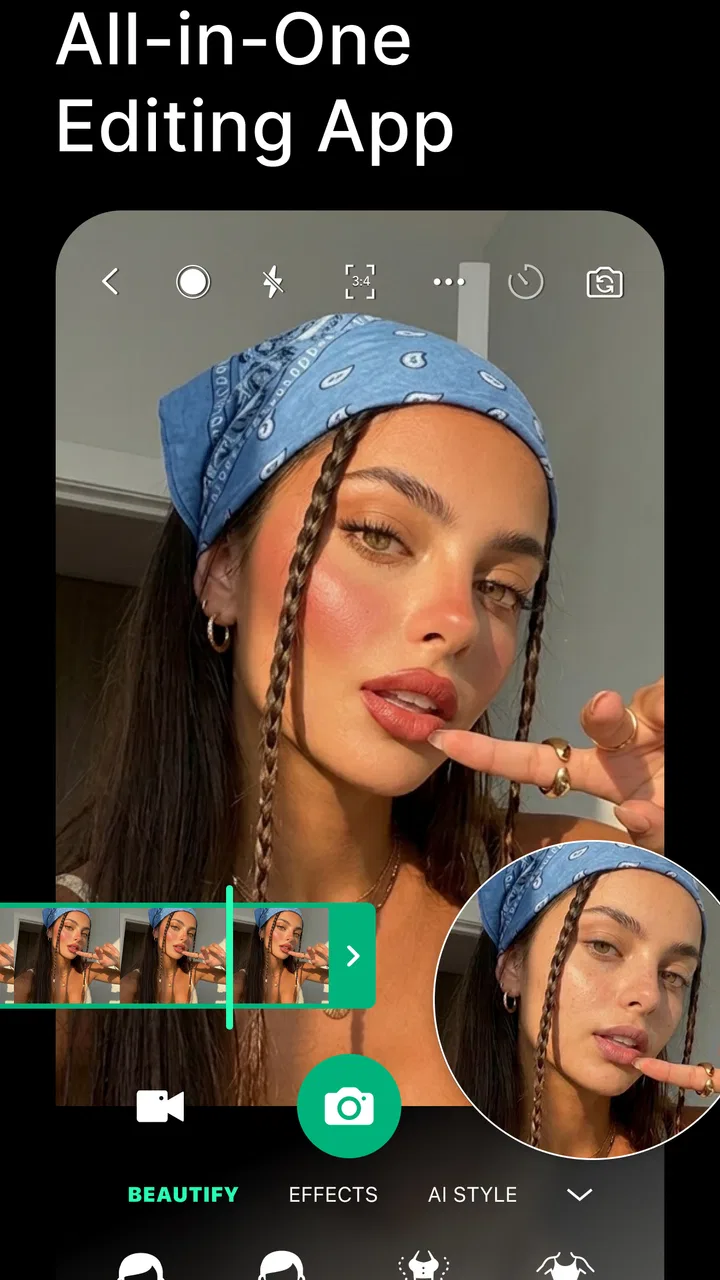
Once I move beyond a simple adjustment, the interface presents many possibilities at once. Retouching, enhancement, object removal, decorative effects, and portrait-oriented tools can all make the editor feel lively, but the same variety may overwhelm someone who prefers one clear task per screen. I find it works best when I decide what I want before opening the editor: brighten a face, remove a passer-by, or improve a low-impact snapshot. Browsing every option without a plan is more likely to create friction.
The wording is generally approachable for common photo tasks. A person who already understands terms such as crop, filter, or retouch should not need specialist knowledge to begin. The harder part is judging which tool will produce a natural result. AI-assisted editing can be tempting because it promises speed, but I still need to inspect the image afterward instead of accepting the first version automatically.
Readability depends on the editing context
Photo editors naturally place controls around a large visual preview, so the image receives most of the screen. That is helpful because I can see the effect of a change immediately. However, small labels, icons, and rows of choices can become less comfortable when I am working on a compact phone, using the device in bright sunlight, or trying to concentrate while travelling.
I would not describe the interface as ideal for someone who needs every control to be visually simple and strongly separated. The creative nature of the app means there can be a lot to scan. A useful habit is to make one change at a time and pause on the preview before moving to another tool. This reduces the chance of losing track of what changed and makes the process easier to follow for users who find rapid visual transitions tiring.
For people who use a phone with enlarged system text or display scaling, the practical experience may vary because larger text can reduce the space available for the preview and controls. I found that a larger display is more comfortable for detailed work, especially when checking whether an object-removal edit has left an obvious smudge. The app is more pleasant for quick corrections than for long, highly precise sessions.
Motor control and touch precision
Many photo-editing actions rely on tapping, dragging, brushing, or positioning an adjustment over a specific part of the image. That is normal for this type of app, but it creates a real consideration for anyone with tremors, limited finger movement, joint pain, or difficulty maintaining a steady touch. Removing a small background object, for example, can require more precision than applying a general enhancement.
I get better results when I zoom in before attempting a detailed correction and then zoom out to check the whole composition. This two-stage workflow is slower, but it avoids the common mistake of making a local edit look acceptable up close while creating a visible repetition or blur in the wider image. It also gives users who need more time between gestures a clearer rhythm: enlarge, mark the area, review, and only then save.
One trade-off is that touch-based editing is more direct than entering values, but it is less predictable for users who prefer keyboard-style input or fixed numerical controls. YouCam Perfect is therefore a better fit for someone comfortable with gestures than for a photographer who wants exact, repeatable settings. If my priority is consistent color correction across many images, I would rather use a more specialized editor with stronger manual control.
When visual effects are helpful and when they become tiring
The app is designed around visible transformation, so previews and effects are central to the experience. That is useful for people who understand images better through immediate visual feedback. I can compare the original mood with the edited version without needing to understand a technical explanation.
For users sensitive to heavy visual changes, the safest approach is restraint. I prefer subtle enhancement and modest retouching because extreme smoothing or dramatic effects can make a face look artificial and can also hide useful detail. Working with the original photo beside the edited version is especially important when the image contains text, skin texture, fabric patterns, or small objects that the AI may interpret incorrectly.
There is also a sensory advantage to editing at a quiet moment rather than in a crowded environment. The app itself may be simple enough for a short task, but the combination of a bright screen, many visual choices, and repeated previews can become demanding. I would use it in short sessions if I were sensitive to screen fatigue, and I would save intermediate results rather than trying to perfect everything in one sitting.
Using the app in real situations
The most useful test is whether an edit holds up outside the quiet moment when I make it. I check the result at ordinary viewing size, consider whether it still looks believable when shared, and keep the untouched image when accuracy matters. Those everyday choices make it easier to see where this editor saves time—and where a simpler or more precise alternative would suit me better.
A practical everyday workflow
Imagine taking a group photo outside a café and noticing a bin, sign, or stranger distracting from the people in the frame. I would open the image, make a gentle enhancement first, and then use the removal tool only on the most obvious distraction. After that, I would inspect the surrounding edges at normal viewing size. If the background has repeated lines, brickwork, or lettering, I would be cautious: a quick removal may be convenient, but a visible patch can be worse than leaving the original detail in place.
For a portrait intended for a profile image, I would avoid stacking several beauty effects. A small correction to lighting or a minor cleanup usually looks more believable than aggressive smoothing. The app makes experimentation easy, but the responsibility for keeping the image recognizable remains with me. I also recommend saving a version before major changes, particularly when the original photo has sentimental value.
For social posts, the app is convenient because it keeps the process focused on the image rather than requiring a separate desktop workflow. Someone with limited time can make a few changes on a phone and move on. Someone who needs a carefully controlled export workflow, exact color management, or batch consistency will probably find the experience too casual.
Situational access matters more than the feature list
A phone editor is useful in places where a computer is unavailable, but that does not mean every setting is equally comfortable. On a moving bus, precise object removal is frustrating because hand movement makes small gestures harder. In direct sunlight, previewing subtle exposure changes can be difficult. In a quiet room with both hands free, the same task feels much easier.
I would also think about the user’s energy and attention. A person who is tired, recovering from an injury, or dealing with cognitive overload may benefit from choosing one narrow task and stopping once it is complete. The app offers enough creative options to encourage continued browsing, but more editing is not always better editing. A simple crop and mild adjustment can be the most inclusive outcome because it requires fewer decisions.
For users who communicate visually, quick image cleanup can be genuinely valuable. A clearer photo may help explain an item being sold, document a household issue, or share an event with family. The object-removal feature can support that kind of practical communication, although I would not rely on it for evidence where preserving the exact original scene is important. Removing details changes the record, even when the result looks attractive.
Who is likely to feel at home here?
I think the strongest audience is casual photographers, social-media users, and anyone who wants more than a basic phone gallery editor without learning a complicated professional program. The app is also appealing to people who prefer visual experimentation and want AI-assisted help rather than a long sequence of manual corrections.
It is less suitable for a user who needs a distraction-free interface, exact technical adjustments, or a workflow built around accessibility-specific customization. It may also frustrate someone who cannot comfortably perform repeated swipes and precise taps. In those cases, a simpler editor with fewer tools, larger controls, or stronger keyboard and desktop support would be a better choice, even if it produces fewer creative effects.
Free access and the role of optional purchases
The app is free, which makes it easy to try before deciding whether it fits my habits. Optional purchases are available, with individual items priced from $0.69 up to $119.99. That wide range is worth keeping in mind because the free starting point does not automatically mean every desirable editing option will feel equally available without spending.
I would approach the purchase screen carefully and decide whether a feature solves a recurring problem or merely looks interesting in the moment. For occasional editing, the free experience may be enough. For someone using the app regularly for portraits or content creation, it is sensible to compare the value of those optional tools with a different editor that offers the needed controls more directly.
Privacy-minded editing habits
When I edit personal portraits, family photos, or images containing documents, I treat AI tools with care. Before using any automated correction, I consider whether the image contains information I would not want altered or handled casually. I also keep an untouched copy, because an edited image should not replace the original when accuracy matters.
This is not a criticism unique to this app; it is a general rule for AI-assisted photography. The convenience of removing an object or changing a portrait can make an image feel finished quickly, but it can also blur the line between correction and invention. For ordinary creative sharing, that may be fine. For records, applications, complaints, or before-and-after evidence, I would use the original and clearly separate it from any edited version.
How it compares with ordinary alternatives
The standard gallery editor on a phone is usually faster for cropping, rotating, and making a basic brightness adjustment. If that is all I need, opening YouCam Perfect may add unnecessary steps. Its advantage appears when I want portrait retouching, more expressive effects, or an AI-assisted way to clean up a distracting element.
At the other end, professional mobile editors offer more control over layers, curves, masks, and repeatable corrections. They are better when I need precision or a consistent look across a larger project. YouCam Perfect is friendlier for quick visual decisions, but it does not replace a serious editing workstation in my routine.
There is also a middle ground: lightweight editors that focus on one task, such as removing backgrounds or applying filters. Those may be easier for a user who needs a very narrow workflow and finds a broad feature set distracting. I would choose YouCam Perfect when I want several portrait and cleanup possibilities in one place, not when I want the smallest possible tool for one operation.
What the long-term experience is like
The app has been available since February 27, 2014, and its reach is substantial: it has passed one hundred million installs, with an average rating of 3.9 from around 2.1 million ratings and roughly 39 thousand written reviews. Those figures suggest a widely used product, but they do not remove the need to judge whether its interaction style suits me. Popularity is useful context, not a guarantee of comfort.
The Teen content rating is another practical detail for households. I would still guide younger users toward sensible editing habits, especially around changing people’s appearances and sharing altered portraits. The tools can be playful, but images of real people deserve consent and care.
My inclusive verdict
I recommend YouCam Perfect to people who want a capable, visually guided photo editor on a phone and who are comfortable with touch gestures, previews, and a fairly busy selection of creative tools. Its strongest qualities are convenience, approachable editing, and the ability to combine enhancement, retouching, and object cleanup without moving between several apps.
My recommendation is more cautious for users who need large, uncluttered controls, minimal visual stimulation, exact manual settings, or a workflow that avoids precise dragging. The app can support different abilities and situations when I slow down, enlarge the image for detailed work, use subtle edits, and keep the original safely separate. Still, those are workarounds rather than a replacement for purpose-built accessibility features.
The best way to use it is as a quick, thoughtful editor rather than an automatic makeover machine. If I need a polished social photo, a cleaner portrait, or a fast correction while away from a computer, it earns a place on my phone. If I need technical consistency, documentary accuracy, or the least demanding interface possible, I would choose a simpler or more professional alternative instead.
FAQs for YouCam Perfect - Photo Editor
01What features does YouCam Perfect - Photo Editor offer?
YouCam Perfect - Photo Editor provides a wide range of features including beautification tools, object removal, background editing, and a variety of filters and effects. Users can also create collages and animated elements for their photos. The app is designed to enhance both selfies and landscape photos with ease.
02Is YouCam Perfect free to use?
Yes, YouCam Perfect is free to download and use. However, it offers in-app purchases and a premium subscription that unlocks additional features, such as exclusive filters, advanced editing tools, and an ad-free experience. Users can choose whether to upgrade based on their editing needs.
03How user-friendly is the interface of YouCam Perfect?
The interface of YouCam Perfect is designed to be user-friendly and intuitive, making it accessible for both beginners and advanced users. The app provides clear navigation with easy-to-find editing tools and options. Tutorials and tips are available to help users make the most out of the app's capabilities.
04Can YouCam Perfect preserve the quality of edited photos?
YouCam Perfect maintains high-quality resolution of photos after editing. The app ensures that enhancements and modifications do not compromise photo quality, making it a suitable tool for users who want to share their photos on social media or print them without losing clarity.
05What platforms is YouCam Perfect available on?
YouCam Perfect is available for both Android and iOS devices. It can be downloaded from the Google Play Store and the Apple App Store. The app is regularly updated to ensure compatibility with the latest operating systems and to introduce new features and improvements.
Pros
- Easy-to-use interface for quick edits.
- Wide range of filters and effects.
- Real-time beautification feature.
- Supports high-resolution image exports.
- Frequent updates with new features.
Cons
- Contains in-app purchases for premium tools.
- Some features require an internet connection.
- Occasional ads can be intrusive.
- Limited free version features.
- May drain battery with extended use.

YouCam Perfect - Photo Editor
Gallery